Financial Analysis
In addition to work performance analysis, MaxTeam includes options to track project bookings, cash flow, and revenue for financial analysis. The data components required to calculate financial performance metrics include:
- The framework of the work breakdown structure (WBS) to organize the time phased budget, earned value, actual costs incurred to perform the work, estimate to complete, and estimate at completion. This is the same foundation for calculating work performance metrics.
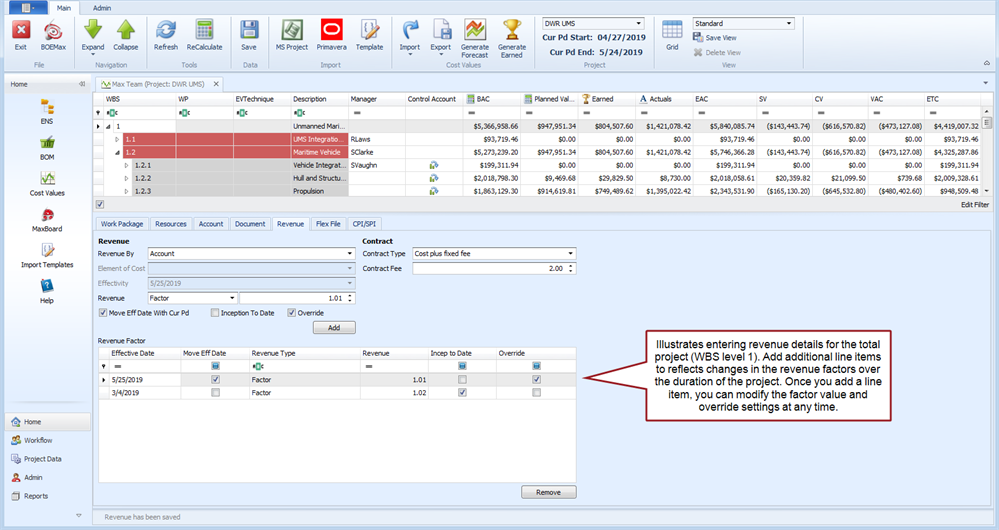
- Details on how revenue is calculated over the duration of the project. This can be set at a given WBS level, for specific WBS elements that may correspond to a contract line item number (CLIN), or for the different elements of cost such as labor or material. You define the revenue factors and the effective dates in the main MaxTeam window Revenue tab. These factors are applied to the project's actual costs incurred (revenue to date) and the estimate to complete (projected revenue).
- Booking data that identifies when funding events occur. This is set at the project level in the MaxTeam the Enterprise Nodal Structure (ENS).
- Payment type and receipt terms. This is also set at the project level in the MaxTeam ENS.
You use interactive visual dashboard views to assess the financial performance metrics for a specific project, group of projects, or all projects. MaxBoard uses the ENS node levels defined in MaxTeam, the MaxTeam ENS project level booking and payment data, the project revenue data, and the time phased cost details as the source data for the various dashboard views.
 What do you want to do?
- Enter Revenue Data for the project
- Enter Booking Data in the MaxTeam ENS for a project
- Enter Payment Data in the MaxTeam ENS for a project